


 +91-85304 14111




OUR BLOGS
Our Latest Blogs

03 Aug 2026
By Mansi Jha l Construction
BOQ Software Dubai: The Complete Guide for UAE Contractors
If you have ever watched a tender fall apart because two versions of the same bill of quantities were floating around your team, you already know why contractors across the UAE are searching for BOQ software in Dubai. A single missed quantity, an outdated rate, or a rounding error carried over from a spreadsheet can turn a winning bid into a loss making one. This is not a rare event on Dubai projects. It happens on a regular basis wherever the BOQ still lives in Excel and gets emailed back and forth between estimators, subcontractors, and project managers.
This guide walks through what BOQ software Dubai contractors should expect, the problems it solves for developers and subcontractors alike, what to look for before you commit to a platform, and how biCanvas approaches BOQ management for construction, infrastructure, and RMC companies operating in the UAE market.
What Is BOQ Software and Why Dubai Contractors Need It
A bill of quantities lists every material, item of work, and quantity required for a project, along with its rate and total cost. It is the backbone of tendering, procurement, and cost control on any construction job. BOQ software Dubai teams use replaces the manual spreadsheet process with a structured, version controlled system where quantities, rates, and variations are tracked in one place instead of scattered across files.
Dubai's construction market runs on tight tender timelines and multi-stakeholder projects, from developers and main contractors down to specialist subcontractors. When the BOQ sits in a shared spreadsheet, every stakeholder edits their own copy, and reconciling those copies before submission eats hours that should go toward pricing strategy instead. BOQ software solves this by giving everyone a single source of truth, with a full audit trail of who changed what and when.
Common Problems with Manual BOQ Management in the UAE
Contractors who still manage bills of quantities manually run into the same set of issues, project after project.
Version control breaks down first. Someone updates a rate, saves it as a new file, and the previous version keeps circulating because not everyone received the update in time. By the time the tender is submitted, nobody is fully sure which quantities were final.
Scope changes are the second problem. Dubai projects see frequent variations, and every variation needs to be reflected in the BOQ without losing the history of what the original scope and budget looked like. Spreadsheets do not track this well, which leads to disputes with clients later when nobody can prove what was agreed at what stage.
Estimating accuracy also suffers. Manual rate application means estimators are retyping or copy pasting rates from previous projects, and small transcription errors compound across hundreds of line items. On a large tender this can shift the total price enough to lose a bid on price alone, even when the underlying cost estimate was sound.
Our guide on construction cost estimating software covers this estimating accuracy problem in more depth if you want to see how a structured platform changes the numbers.
What to Look for in BOQ Software for Dubai Projects
Not every BOQ tool is built for how UAE contractors actually work. A few things matter more than the rest when you are evaluating options.
Version control with a full history should be non negotiable. You need to see exactly what changed between tender submission and award, and again through every variation order afterward, without losing the original baseline.
Rate library management matters just as much. Good BOQ software Dubai contractors rely on lets you build and reuse rate libraries across projects, so estimators are pulling from verified data instead of retyping figures every time. Our piece on the BOQ and estimation module with version control goes into how this is structured in practice.
Integration with procurement and project execution is the third piece. A BOQ that lives separately from your procurement and site progress data is only solving half the problem. Once quantities are linked to procurement, purchase orders and material planning can be triggered directly from the same BOQ line items, which removes another layer of manual re-entry.
Mobile and cloud access rounds it out. Site engineers and project managers in Dubai are rarely at a desk, so the platform needs to work from a phone or tablet with the same data everyone in the office is looking at, updated in real time.
How biCanvas Supports BOQ Management for UAE Contractors
biCanvas is a cloud based ERP built specifically for construction, infrastructure, and RMC companies, and it is one of the platforms UAE teams look at when comparing BOQ software Dubai wide, since BOQ and estimation with version control sits at the core of the platform rather than being bolted on as an afterthought. Every revision to a bill of quantities is tracked, so project teams and finance can see the full history from initial tender through every subsequent variation, without chasing down old email threads or rebuilding lost versions.
Because biCanvas is fully cloud based, UAE contractors do not need a local office presence to get started. Onboarding, training, and ongoing support happen remotely, and the platform is already built for the multi-currency, multi-language requirements that cross border implementations need. Teams evaluating BOQ software Dubai wide are increasingly comfortable with this remote delivery model, since the platform itself is what does the daily work, not a local office.
The BOQ module connects directly to procurement, WIP tracking, and subcontractor billing, so once a bill of quantities is finalized, the same data flows into material planning and progress reporting instead of being re-entered at every stage. That connection is what separates BOQ software from a glorified spreadsheet replacement, and it is covered in more detail in our breakdown of how biCanvas builds an integrated control architecture for construction operations.
For contractors managing subcontractor coordination alongside their BOQ, it is also worth reading our guide on CRM for construction, since missed follow ups and unclear scope changes between sales and execution tend to surface the same version control problems the BOQ itself runs into.
BOQ Software Dubai: Key Features Checklist
Before shortlisting a vendor, run through this list against your own tendering process.
- Version controlled BOQ with a visible audit trail across tender, award, and every variation
- Reusable rate libraries built from historical project data
- Direct linkage between BOQ line items and procurement or material planning
- Mobile access for site teams alongside desktop access for estimators and finance
- Multi-currency and multi-language support for cross border teams
- Reporting that shows budget versus actual at the line item level, not just project level
A platform that checks these boxes does more than digitize your bill of quantities. It removes the reconciliation work that eats estimator time on every single tender, and it gives project directors a real time view of where costs stand against the original BOQ throughout execution. If you are also comparing broader platform options, our roundup of the top construction management software in India is a useful reference point for how BOQ functionality fits into a full project management system.
FAQ
Does BOQ software Dubai contractors use require a local office? Yes. Cloud based platforms like biCanvas are implemented remotely, with onboarding and support delivered online, so a physical UAE presence is not a requirement to get started.
Can BOQ software handle mid-project scope changes? A properly version controlled system tracks every variation against the original baseline, so scope changes are documented rather than lost in a new spreadsheet copy.
How long does BOQ software Dubai implementation typically take? Implementation timelines vary by project complexity, but a phased rollout starting with one active tender or project is the most common approach, allowing teams to validate the workflow before a full rollout.
If your team is still reconciling BOQ versions by email before every submission, that is the clearest sign it is time to move to a structured platform. Book a free demo with biCanvas to see how BOQ software fits into your existing tendering and project workflow.
OUR BLOGS
Our Latest Blogs
03 Aug 2026
By Mansi Jha Construction
BOQ Software Dubai: The Complete Guide for UAE Contractors
If you have ever watched a tender fall apart because two versions of the same bill of quantities were floating around your team, you already know why contractors across the UAE are searching for BOQ software in Dubai. A single missed quantity, an outdated rate, or a rounding error carried over from a spreadsheet can turn a winning bid into a loss making one. This is not a rare event on Dubai projects. It happens on a regular basis wherever the BOQ still lives in Excel and gets emailed back and forth between estimators, subcontractors, and project managers. This guide walks through what BOQ software Dubai contractors should expect, the problems it solves for developers and subcontractors alike, what to look for before you commit to a platform, and how biCanvas approaches BOQ management for construction, infrastructure, and RMC companies operating in the UAE market. What Is BOQ Software and Why Dubai Contractors Need It A bill of quantities lists every material, item of work, and quantity required for a project, along with its rate and total cost. It is the backbone of tendering, procurement, and cost control on any construction job. BOQ software Dubai teams use replaces the manual spreadsheet process with a structured, version controlled system where quantities, rates, and variations are tracked in one place instead of scattered across files. Dubai's construction market runs on tight tender timelines and multi-stakeholder projects, from developers and main contractors down to specialist subcontractors. When the BOQ sits in a shared spreadsheet, every stakeholder edits their own copy, and reconciling those copies before submission eats hours that should go toward pricing strategy instead. BOQ software solves this by giving everyone a single source of truth, with a full audit trail of who changed what and when. Common Problems with Manual BOQ Management in the UAE Contractors who still manage bills of quantities manually run into the same set of issues, project after project. Version control breaks down first. Someone updates a rate, saves it as a new file, and the previous version keeps circulating because not everyone received the update in time. By the time the tender is submitted, nobody is fully sure which quantities were final. Scope changes are the second problem. Dubai projects see frequent variations, and every variation needs to be reflected in the BOQ without losing the history of what the original scope and budget looked like. Spreadsheets do not track this well, which leads to disputes with clients later when nobody can prove what was agreed at what stage. Estimating accuracy also suffers. Manual rate application means estimators are retyping or copy pasting rates from previous projects, and small transcription errors compound across hundreds of line items. On a large tender this can shift the total price enough to lose a bid on price alone, even when the underlying cost estimate was sound. Our guide on construction cost estimating software covers this estimating accuracy problem in more depth if you want to see how a structured platform changes the numbers. What to Look for in BOQ Software for Dubai Projects Not every BOQ tool is built for how UAE contractors actually work. A few things matter more than the rest when you are evaluating options. Version control with a full history should be non negotiable. You need to see exactly what changed between tender submission and award, and again through every variation order afterward, without losing the original baseline. Rate library management matters just as much. Good BOQ software Dubai contractors rely on lets you build and reuse rate libraries across projects, so estimators are pulling from verified data instead of retyping figures every time. Our piece on the BOQ and estimation module with version control goes into how this is structured in practice. Integration with procurement and project execution is the third piece. A BOQ that lives separately from your procurement and site progress data is only solving half the problem. Once quantities are linked to procurement, purchase orders and material planning can be triggered directly from the same BOQ line items, which removes another layer of manual re-entry. Mobile and cloud access rounds it out. Site engineers and project managers in Dubai are rarely at a desk, so the platform needs to work from a phone or tablet with the same data everyone in the office is looking at, updated in real time. How biCanvas Supports BOQ Management for UAE Contractors biCanvas is a cloud based ERP built specifically for construction, infrastructure, and RMC companies, and it is one of the platforms UAE teams look at when comparing BOQ software Dubai wide, since BOQ and estimation with version control sits at the core of the platform rather than being bolted on as an afterthought. Every revision to a bill of quantities is tracked, so project teams and finance can see the full history from initial tender through every subsequent variation, without chasing down old email threads or rebuilding lost versions. Because biCanvas is fully cloud based, UAE contractors do not need a local office presence to get started. Onboarding, training, and ongoing support happen remotely, and the platform is already built for the multi-currency, multi-language requirements that cross border implementations need. Teams evaluating BOQ software Dubai wide are increasingly comfortable with this remote delivery model, since the platform itself is what does the daily work, not a local office. The BOQ module connects directly to procurement, WIP tracking, and subcontractor billing, so once a bill of quantities is finalized, the same data flows into material planning and progress reporting instead of being re-entered at every stage. That connection is what separates BOQ software from a glorified spreadsheet replacement, and it is covered in more detail in our breakdown of how biCanvas builds an integrated control architecture for construction operations. For contractors managing subcontractor coordination alongside their BOQ, it is also worth reading our guide on CRM for construction, since missed follow ups and unclear scope changes between sales and execution tend to surface the same version control problems the BOQ itself runs into. BOQ Software Dubai: Key Features Checklist Before shortlisting a vendor, run through this list against your own tendering process. Version controlled BOQ with a visible audit trail across tender, award, and every variation Reusable rate libraries built from historical project data Direct linkage between BOQ line items and procurement or material planning Mobile access for site teams alongside desktop access for estimators and finance Multi-currency and multi-language support for cross border teams Reporting that shows budget versus actual at the line item level, not just project level A platform that checks these boxes does more than digitize your bill of quantities. It removes the reconciliation work that eats estimator time on every single tender, and it gives project directors a real time view of where costs stand against the original BOQ throughout execution. If you are also comparing broader platform options, our roundup of the top construction management software in India is a useful reference point for how BOQ functionality fits into a full project management system. FAQ Does BOQ software Dubai contractors use require a local office? Yes. Cloud based platforms like biCanvas are implemented remotely, with onboarding and support delivered online, so a physical UAE presence is not a requirement to get started. Can BOQ software handle mid-project scope changes? A properly version controlled system tracks every variation against the original baseline, so scope changes are documented rather than lost in a new spreadsheet copy. How long does BOQ software Dubai implementation typically take? Implementation timelines vary by project complexity, but a phased rollout starting with one active tender or project is the most common approach, allowing teams to validate the workflow before a full rollout. If your team is still reconciling BOQ versions by email before every submission, that is the clearest sign it is time to move to a structured platform. Book a free demo with biCanvas to see how BOQ software fits into your existing tendering and project workflow.
OUR BLOGS
Our Latest Blogs
07 Sep 2026
By Mohini Dodwade Infrastructure
Tender Management Software for Contractors: How to Stop Losing Bids to Bad Tracking
A contractor's team spends three weeks preparing a bid. The technical documents are ready, the BOQ is priced, the compliance certificates are attached. Then someone realises the submission portal closed two hours ago because the deadline was tracked in a WhatsApp message that got buried under fifty other chats. The tender is gone, and so is the revenue it would have brought in. This is not a rare story. It is the single most common reason contractors and infrastructure firms lose tenders they were technically capable of winning. The problem is almost never the quality of the bid. It is the absence of a system that tracks every tender, every deadline, and every document in one place. That is exactly the gap tender management software is built to close. What Tender Management Software Actually Does Tender management software centralises everything a contracting or infrastructure firm needs to track, prepare, and submit bids. Instead of tenders living across email threads, spreadsheets, and personal notes, the software gives a firm one place to see every active opportunity, its deadline, its status, and the person responsible for it. At a basic level, tender management software should let a team do the following without switching tools: Log every tender opportunity as soon as it is identified, with client, value, and submission date Track document checklists so nothing is missing at the point of submission Set automated deadline alerts instead of relying on someone remembering Store past tender history so pricing and win rates can be reviewed later For firms running five or six tenders at a time, this can be managed loosely. For firms running twenty or more across multiple regions, manual tracking stops working almost immediately, and that is when tenders start slipping through. Why Contractors Lose Tenders They Should Have Won Most tender losses are not about price or capability. They come down to process failures that have nothing to do with the actual bid quality. The most common one is deadline visibility. When tenders are tracked in individual inboxes rather than a shared system, there is no single view of what is due this week versus next month. A second common failure is incomplete documentation. Tenders often get rejected at the technical evaluation stage simply because a compliance certificate or an experience letter was missing, not because the commercial offer was uncompetitive. A third issue is a complete lack of institutional memory. When the person who handled a similar tender six months ago leaves the company or is on leave, the pricing logic and lessons learned leave with them. Tender management software addresses all three by making the tender pipeline visible to the whole team, not just the person managing it. How Tender Management Connects to the Rest of Your Project Workflow Tender management should never sit as an isolated tool. The moment a tender is won, it needs to flow directly into project setup, without the team re-entering scope, quantities, or pricing from scratch. This is where most standalone tender trackers fall short. They stop at the "won" stage, and everything that follows has to be rebuilt manually. A tender that is priced against a proper construction cost estimation software tool carries that pricing data straight into execution, so the budget the team bid on becomes the budget they actually work against. Similarly, the BOQ built during tender preparation should not need to be recreated once the project starts. When tender management is not connected to procurement and site execution, firms run into the same breakdown that happens when construction operations break between BOQ and MRN, where the numbers used to win the job stop matching the numbers used to run it. This is the real argument for tender management inside an ERP rather than as a separate app. A tender won today should be a project scheduled tomorrow, using the same cost estimation, the same BOQ, and the same document trail, without anyone retyping data. What to Look for in Tender Management Software Not every tender tracker is built for construction and infrastructure firms specifically. Generic project tools miss the parts of tendering that matter most in this industry, like multi-stage government approvals, EMD tracking, and technical-versus-commercial bid separation. When evaluating tender management software, a few things matter more than the rest. The system should support document version control, since tender documents go through multiple revisions before submission. It should allow role-based access, so junior estimators can build pricing without seeing confidential margin data. It should integrate with procurement, so vendor quotes gathered during tendering can be reused instead of collected again later. And it should give visibility into win rates by client, region, or tender type, so leadership can see which tenders are actually worth pursuing. Firms that already use construction inventory management software or a structured construction project scheduling software system will get the most value from tender management that plugs directly into the same platform, since material availability and crew scheduling both affect what a firm can realistically bid on. Getting Tender Management Right Before You Need It The firms that handle tenders well are not the ones with the biggest business development teams. They are the ones with a system that makes deadlines, documents, and pricing visible to everyone involved, long before the submission date becomes an emergency. Tender management software is what makes that possible at scale, and when it is connected to the rest of the project workflow, a won tender turns into a properly budgeted project instead of a fresh administrative headache. biCanvas brings tender management into the same platform as estimating, procurement, and project execution, so nothing gets re-entered and nothing gets missed between winning a bid and starting the job. Explore biCanvas's full Construction ERP Software to see how tendering fits into the bigger picture.
OUR BLOGS
Our Latest Blogs
31 Aug 2026
By Mohini Dodwade Manufacturing
Manufacturing Inventory Management Software: Connecting Stock to Production
A production line does not stop because a plant ran out of raw material. It stops because nobody knew the raw material was running low until the line was already waiting on it. Most manufacturers can tell you what is sitting in their warehouse on any given day, but far fewer can tell you what that stock actually means for tomorrow's production schedule. That gap between knowing what you have and knowing what it will let you produce is exactly the problem manufacturing inventory management software is built to close. Why Spreadsheet Inventory Breaks Down as Production Scales A small manufacturing operation can often get away with tracking stock in a spreadsheet or a basic accounting tool. The moment a plant runs multiple production lines, multiple shifts, or multiple raw material vendors, that approach falls apart. Stock counts go stale between updates, nobody has a single view of what is committed to a pending work order versus what is genuinely available, and reordering becomes reactive instead of planned. Manufacturing inventory management software exists to remove that lag. It gives a plant a live view of stock as it moves, not a snapshot from the last time someone updated a spreadsheet. What Manufacturing Inventory Management Software Actually Needs to Do For a manufacturer running real production volume, inventory software has to do more than count units sitting in a warehouse. It needs to connect stock directly to what the plant is actually producing. Real-time raw material tracking that updates automatically as material is consumed on the line, not through manual entry after the fact Production-linked stock visibility, so a plant knows exactly how much of a raw material is already committed to open work orders versus genuinely free to allocate Batch and lot tracking for traceability, particularly important for manufacturers who need to trace a finished product back to a specific raw material batch Automated reorder triggers based on actual consumption patterns and lead times, not fixed reorder points that ignore how demand actually moves When these pieces are connected, a plant manager stops reacting to shortages and starts seeing them coming days or weeks in advance. Connecting Inventory to What Happens on the Shop Floor Inventory data on its own is only half the picture. The real value comes from connecting stock levels directly to shop floor activity, so a drop in raw material shows up against the production schedule immediately instead of surfacing as a surprise when a line supervisor goes looking for material that is not there. We cover this connection in detail in our piece on automating the shop floor with ERP, where the core argument is that disconnected systems, not missing processes, are usually what cause manufacturing inefficiency. Manufacturing inventory management software is one half of that connection. Without it feeding directly into production planning, even a well-run shop floor is still operating on incomplete information about what it can actually build next. Where This Differs From MES It is worth being clear about what manufacturing inventory management software is not. A Manufacturing Execution System tracks what is happening on the line in real time, machine status, work-in-progress, and quality checkpoints. Inventory management software tracks the material feeding into and out of that process. Our comparison of manufacturing ERP versus manufacturing execution software breaks down where each system's responsibility starts and ends, and the short version is that inventory and MES need to work together, not compete for the same job. A manufacturer evaluating software should be clear on which gap they are actually trying to close before comparing vendors, since a strong MES with weak inventory visibility still leaves material shortages as a blind spot, and the reverse is equally true. Batch Tracking and Traceability Are Not Optional Anymore For manufacturers supplying regulated industries, or working with clients who require material traceability, batch and lot tracking is not a nice-to-have feature. It needs to be built into the core inventory system, not managed as a separate compliance exercise after production is complete. This matters just as much for manufacturers connected to construction supply chains, where a batch of material needs to be traceable back through the plant to the original raw material lot if a quality issue surfaces on site months later. Manufacturing inventory management software that captures batch data automatically as material moves through production removes the need for manual traceability logs that are easy to fall behind on and difficult to audit later. Where Inventory Fits Into the Broader Supply Chain Manufacturing inventory does not exist in isolation from procurement and logistics. A plant's raw material stock is the downstream result of vendor reliability, delivery timing, and demand forecasting further up the chain. We cover this broader connection in our guide on supply chain management software for construction, and the same principle applies directly to manufacturing: inventory visibility is only as useful as the procurement and logistics data feeding into it. A plant with excellent internal inventory tracking but no visibility into incoming vendor deliveries is still flying blind on the timing side of the equation. What to Evaluate Before Choosing Manufacturing Inventory Management Software Before committing to a platform, check whether it actually connects to production planning or simply counts stock as a standalone function. Confirm whether batch and lot tracking is native to the system rather than a manual add-on process. And check whether reorder logic is based on real consumption patterns and vendor lead times, rather than static reorder points that need constant manual adjustment as demand shifts. How biCanvas Approaches Manufacturing Inventory Management biCanvas connects raw material inventory directly to production planning and work orders, so stock consumption updates automatically as production moves rather than through manual reconciliation at shift end. Batch and lot data is captured as part of the same workflow, giving manufacturers traceability without a separate compliance process running alongside production. Because inventory is tied to the same system managing procurement and vendor data, plant managers get a single view from incoming material to finished output, instead of stitching together answers from separate tools. If your plant is still reconciling stock manually against a production schedule that changes daily, you can book a personalised demo to see how connected inventory tracking works against your own production setup. Frequently Asked Questions Is manufacturing inventory management software the same as an MES? No. An MES tracks real-time activity on the production line itself, while inventory management software tracks the raw material and finished goods stock feeding into and out of that process. They are meant to work together, not replace each other. Does manufacturing inventory management software help with material shortages? Yes, by connecting stock levels directly to production schedules and consumption patterns, it flags potential shortages days or weeks in advance instead of when a line is already waiting on material. Why does batch tracking matter for manufacturers who are not in a regulated industry? Even outside regulated sectors, batch tracking makes it possible to trace a quality issue in a finished product back to its raw material source, which matters for any manufacturer supplying clients who expect accountability if something goes wrong downstream.
OUR BLOGS
Our Latest Blogs
08 Dec 2025
By Mansi Jha Ready Mix Concrete
Best Ready Mix Concrete ERP (RMC ERP) in 2026 — Complete Guide
The Ready-Mix Concrete industry has always operated under pressure — tight timelines, strict mix-design requirements, real-time dispatch coordination, unpredictable delays, rising material costs, and the responsibility of delivering consistent quality to every site. In 2026, the complexity has only increased. Customers expect faster deliveries, tighter quality control, and complete traceability, while RMC companies need better control over batching, logistics, and cost to stay profitable. This is where Ready Mix Concrete ERP (RMC ERP) systems play a crucial role. Unlike generic ERPs, RMC-focused solutions are designed specifically to handle batching, raw material planning, fleet management, delivery scheduling, mix-design control, silo-level inventory, and quality assurance. A modern RMC ERP not only improves operational stability but also reduces wastage, prevents errors, and brings transparency across plants. This guide explores the 10 best Ready-Mix Concrete ERP software solutions in 2026, evaluated on depth, reliability, scalability, and real-world usefulness. Why RMC Businesses Are Moving to ERP in 2026 Managing an RMC business manually is becoming increasingly difficult. Plants run multiple batches per hour, fleets are constantly on the move, mix designs need precision, and customers demand instant updates. Plant operators, dispatch teams, supervisors, and accounts teams often struggle with disconnected systems — spreadsheets, WhatsApp messages, handwritten delivery slips, and offline batching reports. RMC ERP solves these challenges by standardizing mix designs, coordinating dispatch in real time, preventing raw material shortages, reducing billing errors, and providing end-to-end visibility — from batching to delivery. Companies adopting RMC ERP in 2026 are seeing a clear improvement in operational efficiency, faster deliveries, reduced wastage, and better cash flow. How We Selected the Top RMC ERP Solutions Every ERP listed in this article was evaluated based on several core parameters: batching integration capability, material consumption tracking, delivery scheduling and fleet management, quality control depth, multi-plant scalability, financial integration, ease of implementation, mobile accessibility, and overall cost-value ratio. Our goal was to highlight platforms that genuinely understand the realities of RMC operations and deliver measurable improvements. 1. biCanvas ERP — Best Overall RMC ERP for 2026 biCanvas stands out because of how well it connects the entire lifecycle of ready-mix operations. While it is widely used across construction, infrastructure, supply chain, and manufacturing, its workflow depth makes it naturally strong for RMC businesses. It brings batching, materials, dispatch, equipment, and financials under one ecosystem, making it suitable for both single-plant operators and large multi-plant companies. The system offers real-time visibility of plant production, inventory levels, order status, and fleet movement. Its dispatch workflows help reduce delays caused by poor coordination, while built-in financial controls ensure every load is tracked until invoicing. What makes biCanvas particularly effective is how smoothly it handles multi-department connectivity — something many RMC companies struggle with when using fragmented systems. The platform doesn’t feel promotional or pushy; instead, it fits organically into the operational needs most RMC companies already recognize. 2. Inntech RMC ERP — Ideal for Small and Mid-Sized Operators Inntech provides an easy-to-understand interface, basic batching integration, and simple inventory management—making it suitable for companies just transitioning from manual operations. It is affordable, quick to deploy, and handles essential workflows without overwhelming teams. While not as comprehensive as enterprise-grade systems, it meets the needs of smaller plants effectively. 3. ReadyMix ERP (TMS) — Strong for Quality-Driven Environments Companies that prioritize mix-design accuracy and testing often choose ReadyMix ERP. It offers strong QC workflows, batch-wise quality records, automated delivery notes, and compliance documentation. Plants with tight quality requirements benefit greatly from its structured reporting and traceability features. 4. QCRETE ERP — Best for Multi-Location Enterprises QCRETE suits organizations operating several RMC plants across regions. Its central dashboards make it easy for management to monitor material consumption, plant performance, and delivery patterns across units. The system also includes advanced QC features, though it requires a longer implementation period and slightly higher investment. 5. E-ReadyMix ERP — Focused on Dispatch & Delivery Optimization This ERP is favored by companies where delivery timelines are the biggest challenge. The software provides route planning, GPS tracking, and dispatch automation, helping teams reduce delays and manage peak hours more efficiently. Its strength lies more on the logistics side than in deep manufacturing workflows. 6. TRANSFLOW RMC ERP — Best for Fleet-Heavy Operations TRANSFLOW is designed for companies managing large fleets of transit mixers, pump trucks, and material carriers. Its dispatch engine and real-time vehicle tracking allow operations teams to maximize fleet utilization. It performs especially well in high-volume RMC markets where vehicle movement directly affects profitability. 7. ERPNext (Customized for RMC) — Flexible and Cost-Efficient ERPNext is an open-source platform that becomes useful when customized for RMC. It can manage sales orders, batching reports, material usage, and billing, but requires development support to match the depth of purpose-built RMC ERPs. It works best for smaller businesses with budget limitations and simple workflows. 8. ReadyMix360 — Best Lightweight Cloud-Native Option ReadyMix360 is cloud-based, modern, and easy to learn. It fits companies looking for a clean UI and quick deployment. Although feature depth is moderate compared to enterprise-grade platforms, it covers essential workflows effectively. 9. CIMS RMC ERP — Strongest for Quality & Testing Records CIMS is known for its comprehensive QC module. It enables plants to maintain detailed records of slump tests, cube tests, mix variations, and compliance logs. Companies that must follow strict quality documentation standards often prefer this system. 10. Propel RMC Suite — Best for Basic Workflow Digitalization Propel offers straightforward features for batching, invoicing, and material tracking. It is suitable for small plants that need digital structure without extensive automation or high-level analytics. It provides a good starting point for early-stage RMC companies. Choosing the Right RMC ERP Selecting the right ERP depends on plant size, production volume, and operational complexity. For quality-driven plants, QC modules are essential. For businesses focused on timely deliveries, fleet and dispatch optimization are priorities. Multi-plant operations require centralized dashboards and consolidated reporting. Modern RMC operations benefit from connected, mobile-first platforms that reduce errors and streamline operations. Why biCanvas ERP Stands Out Among all RMC ERPs, biCanvas is uniquely positioned. It combines end-to-end operational visibility, mobile-first workflows, financial integration, and plant-to-office connectivity. With biCanvas, managers can track production, fleet, inventory, and costs in real time — without juggling multiple tools. The platform is scalable, cloud-native, and built for growth, making it the preferred choice for RMC companies aiming for efficiency, accuracy, and profitability. Take Action Now If your RMC business is ready to eliminate manual inefficiencies, ensure consistent quality, and gain complete visibility across plants, it’s time to explore the possibilities with biCanvas. Book a demo today and experience how a purpose-built RMC ERP can transform your operations and profitability.
Search
Blog Categories
Recent Posts
Post 01
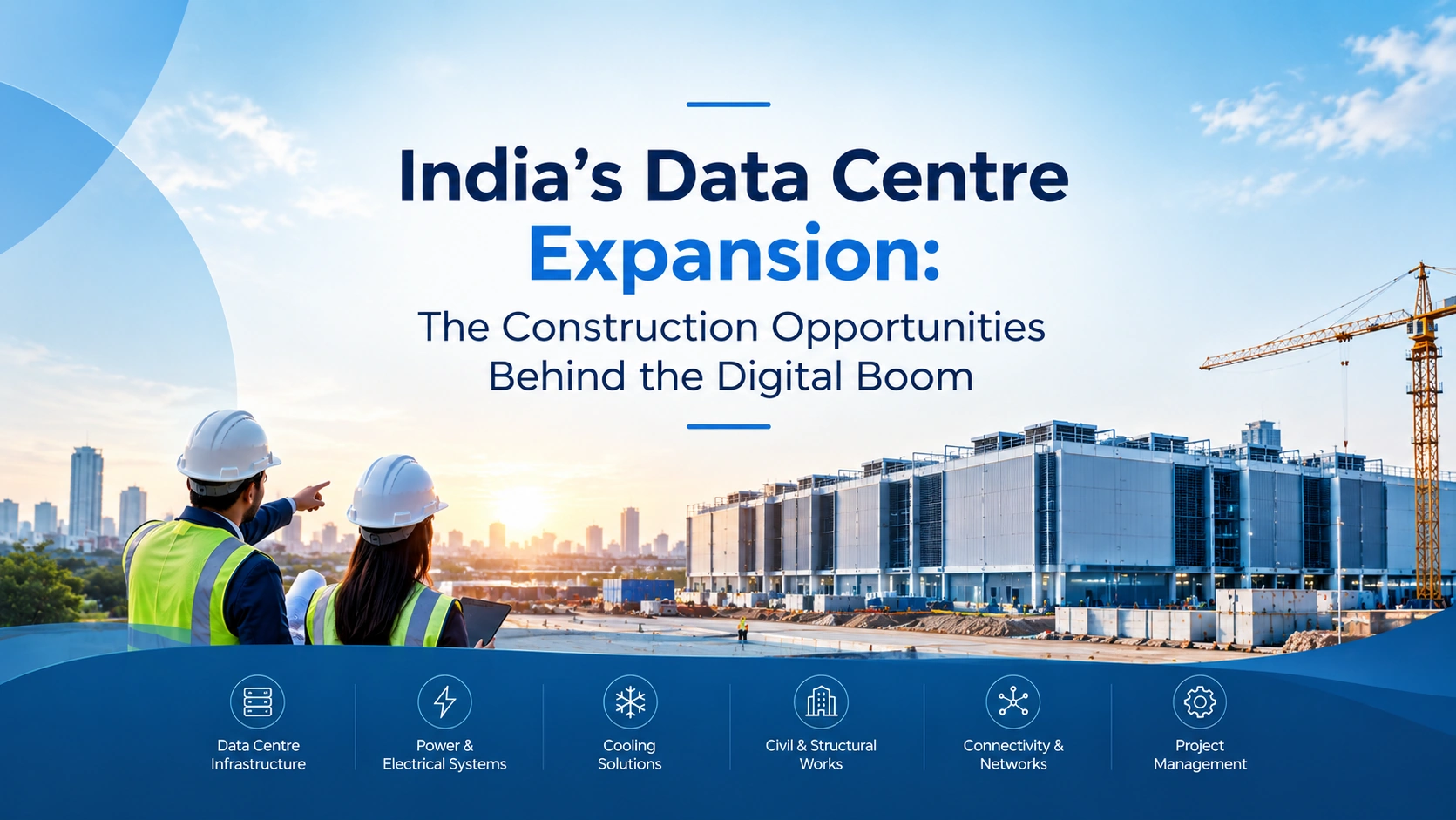
India’s Data Centre Expansion: The Construction Opportunities Behind the Digital Boom
17 Sep 2026

Post 02
GCC Construction Pipeline 2026: Where the Next Wave of Projects Is Coming From
16 Sep 2026

Post 03
Tender Management Software for Contractors: How to Stop Losing Bids to Bad Tracking
07 Sep 2026